Packet observation
Traffic visible to the Node
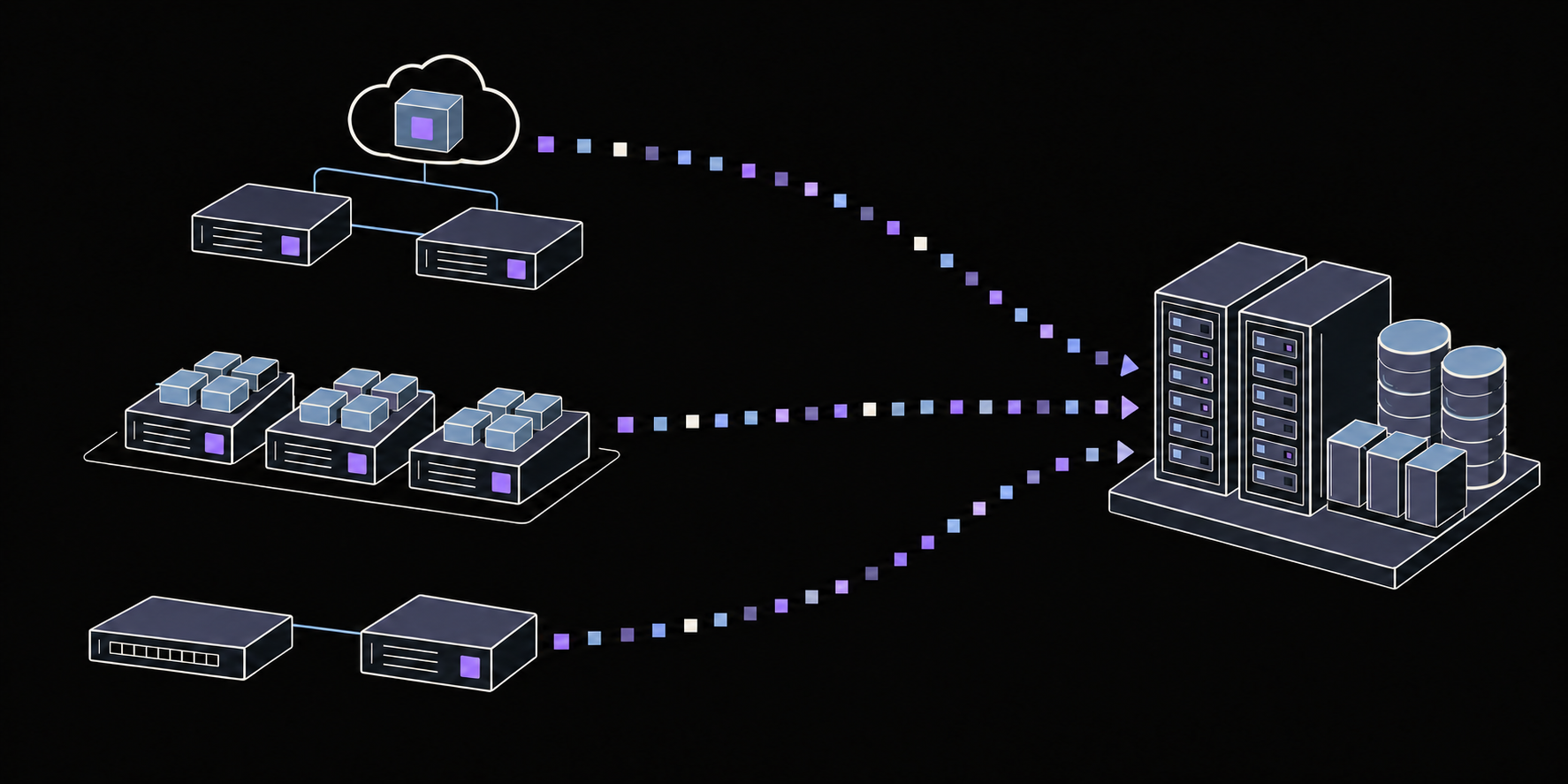
Observe communication directly on a host or from a mirrored network feed. Produce flow telemetry and protocol evidence from the traffic at that vantage point.
Network observation,
in your infrastructure.
Prophet Node is the runtime of Prophet’s distributed observation layer. Deploy it where traffic is visible. Choose what it collects. Manage the fleet centrally.
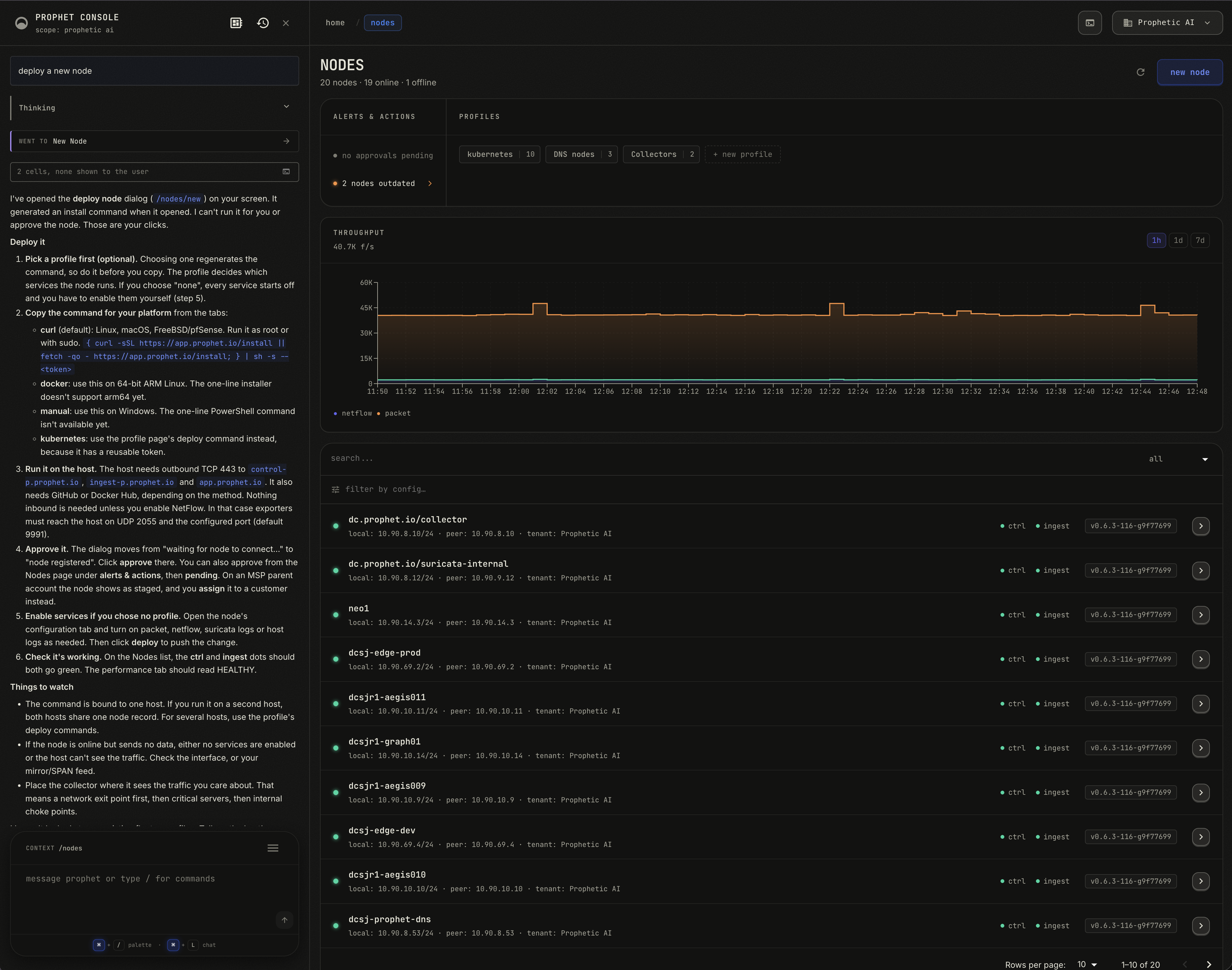
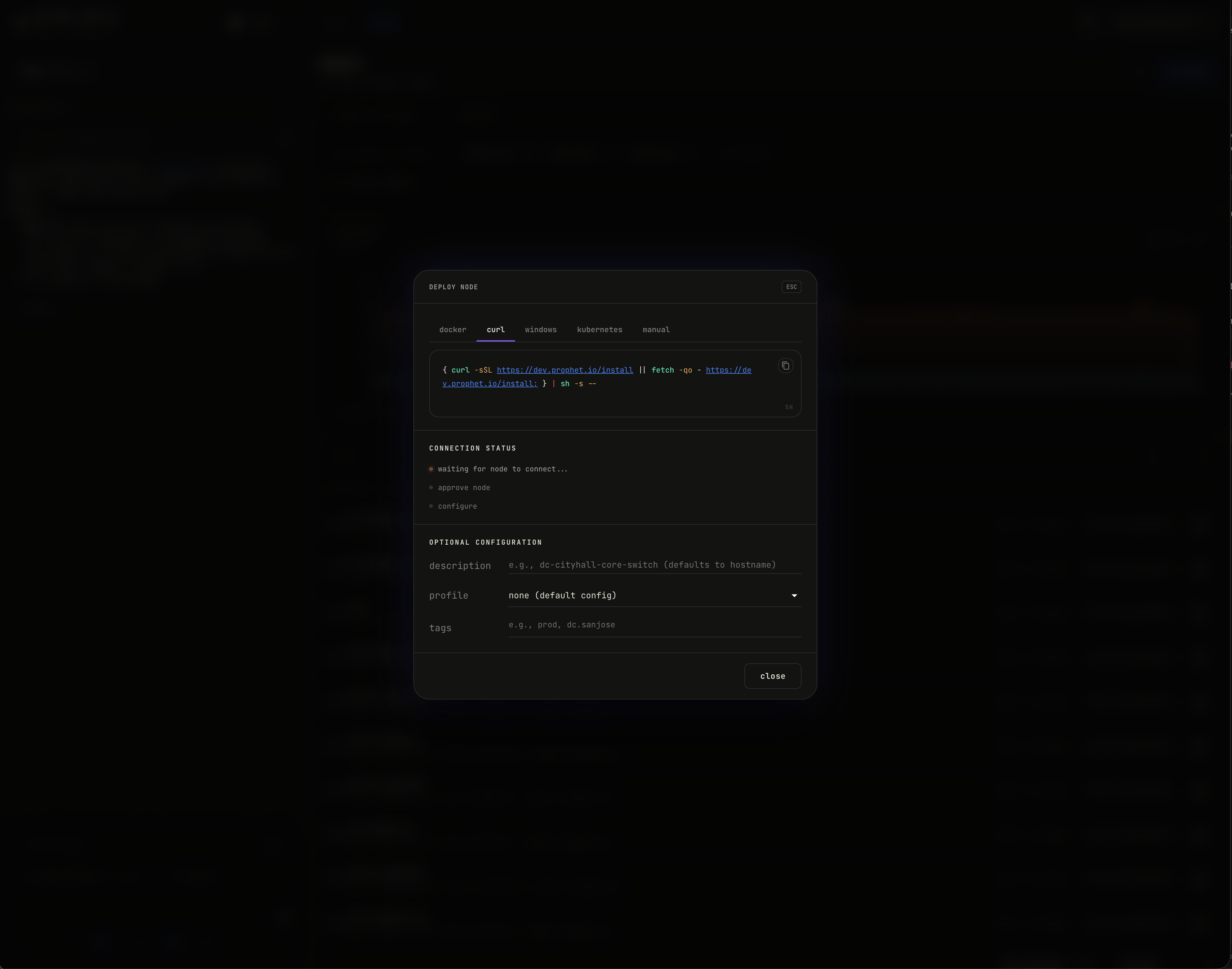
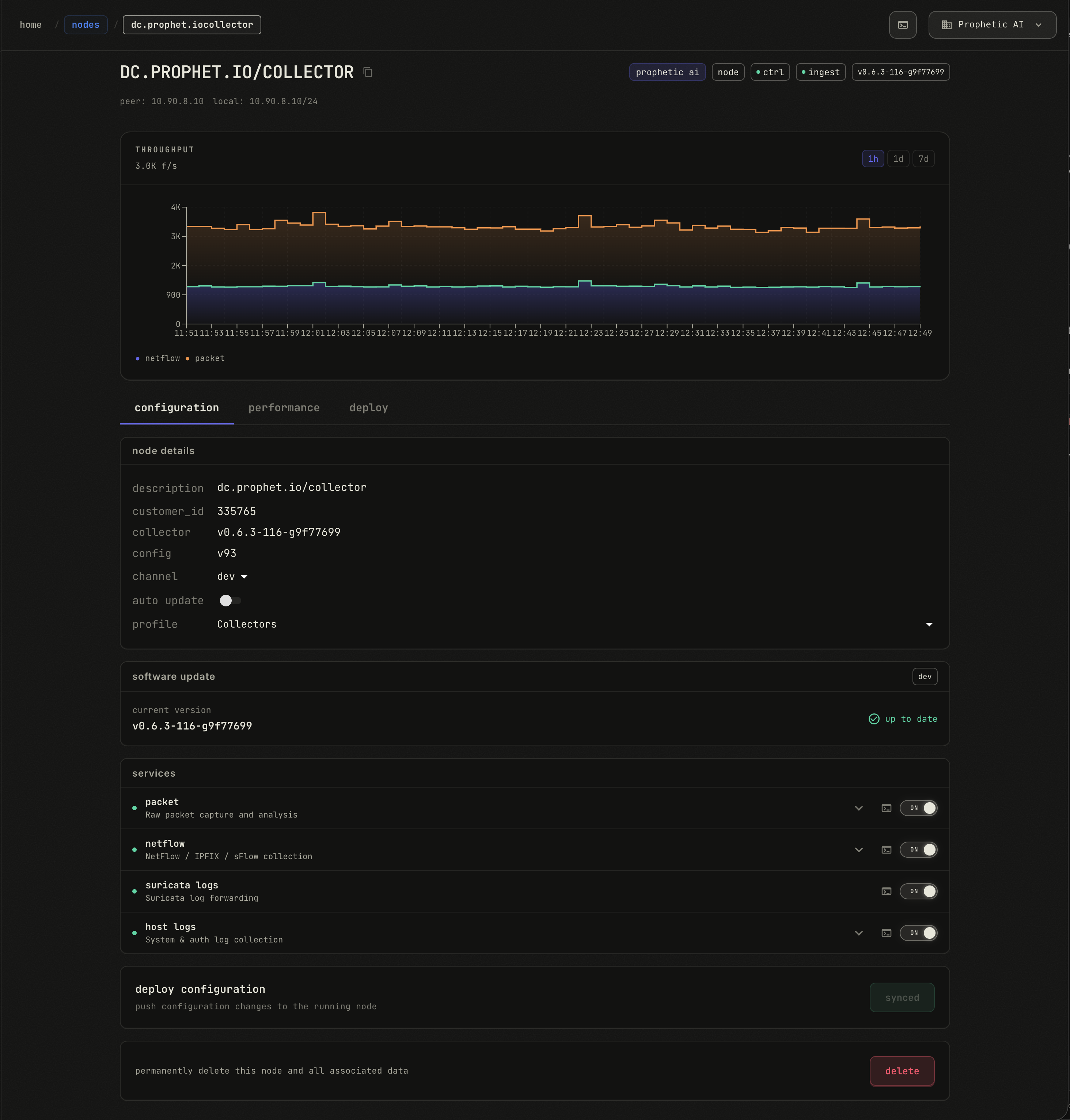
Selected console views, not an installation recording. Throughput is flow telemetry, not a packet-processing benchmark.
Instrument the workloads you choose. Add existing network exports or mirrored traffic where they extend coverage. A TAP or mirror is an option, not a requirement for observing an instrumented host.
Choose the deployment method and a prepared profile in the console. Run the generated command, approve the Node, and manage its settings from the same place.
For Kubernetes, Helm applies the deployment across current and newly added eligible hosts. Profiles let those Nodes share collection settings without configuring each host separately.
A Node can run multiple roles together. Select the evidence appropriate for that location; available collection depends on the platform and configuration.
Traffic visible to the Node
Observe communication directly on a host or from a mirrored network feed. Produce flow telemetry and protocol evidence from the traffic at that vantage point.
NetFlow, IPFIX, and sFlow
Receive exports from network devices and existing infrastructure. Extend coverage to places where installing a Node directly is not practical.
System and authentication logs
Collect configured logs on supported hosts. Prophet correlates this evidence during investigation to help establish who acted and what happened on the machine.
An existing Suricata deployment
Forward EVE JSON from Suricata you already operate. This is a log collection role; the Node does not deploy or run a Suricata IDS.
Prophet reconciles network observations across sources and vantage points into a coherent view of communication. Configured host evidence helps explain who acted and what happened during investigation. Available detail depends on each source.
The Node handles observation at the edge. Prophet operates the storage, modeling, and investigation infrastructure behind it.
Nodes produce compact network telemetry near the source. The central analysis infrastructure does not need to run on each host.
Resource requirements depend on traffic volume, enabled roles, and capture settings. Validate the footprint on representative workloads before broad deployment.
Review control and ingest connectivity, flow-telemetry throughput, configuration, and software versions from the console. Apply shared collection profiles and manage software update settings centrally.
Prophet Agent can help you navigate deployment and inspect the fleet. Registration approval and deployment decisions remain yours.
Access, coverage, and data boundaries.
The Node registers with Prophet. Approve the registration and apply the collection settings you want. A prepared profile supplies shared settings; without a profile, collection services start disabled until you enable and deploy them.
Start where the communication you need to observe is visible: selected servers, virtual machines, cluster hosts, or a host receiving mirrored traffic. A Node observes its own vantage point. One installation does not automatically see the rest of your network.
Packet capture and some host evidence require elevated access. Container and Kubernetes deployment options request the host visibility and capabilities those roles need. Review the generated deployment and enable only the collection roles appropriate for that environment.
Nodes connect outbound over TLS to Prophet’s control and ingest services. Installation also needs access to the relevant package or container source. If you enable flow-export collection, exporters must be able to reach the Node’s UDP listeners.
Nodes send network telemetry and the host evidence you configure to Prophet infrastructure. Payload extraction is optional and disabled by default. Review collection settings against your data requirements before enabling a role.
No. Prophet Node observes. It does not block traffic, quarantine machines, or replace host management. Prophet performs detection and investigation centrally using the observations your deployment provides.
Deploy Nodes in your environment. Prophet operates the infrastructure behind them.